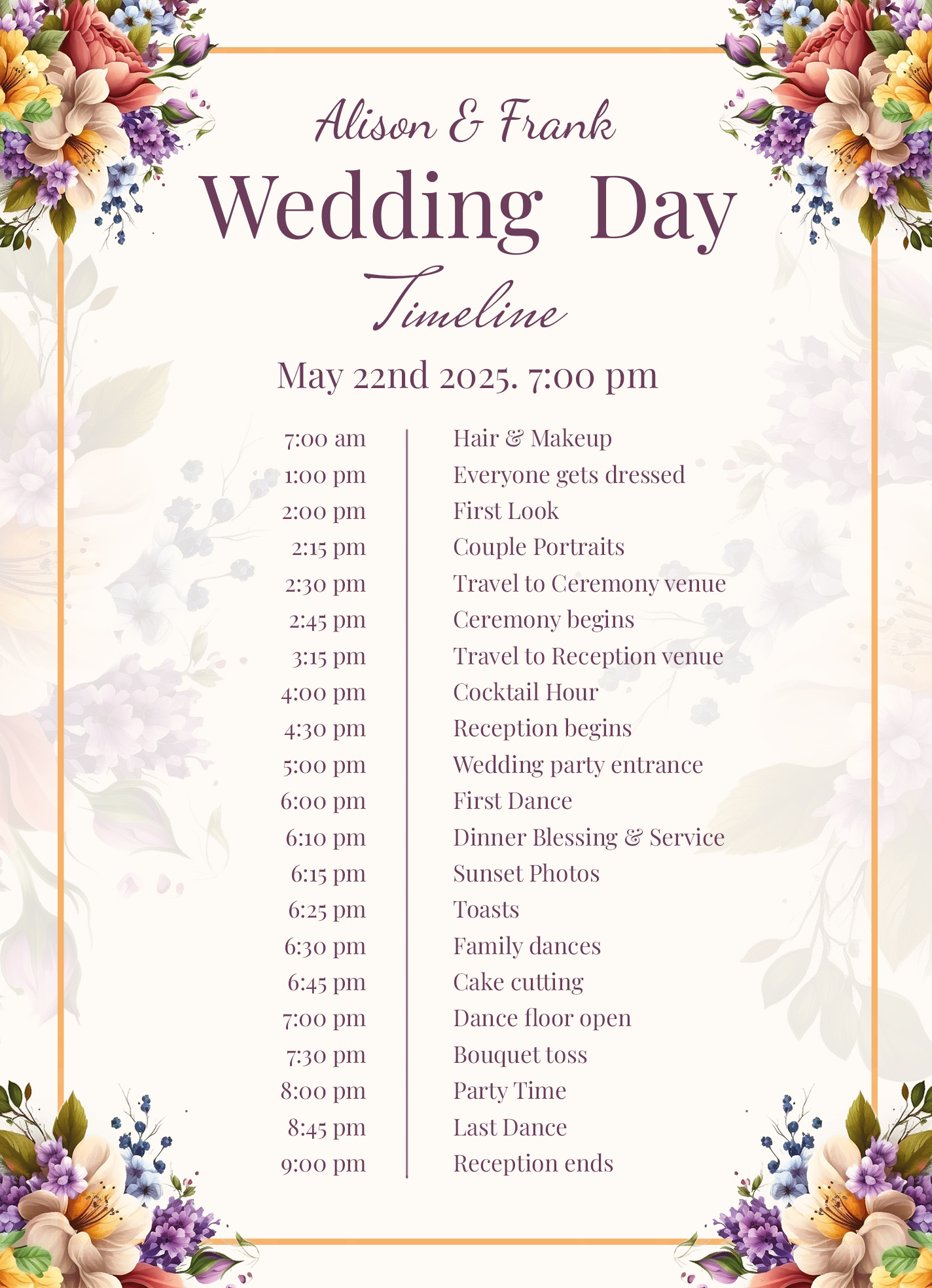
Planning a wedding can feel overwhelming, especially when it comes to organizing timelines for all the events leading up to the big day. That’s why the Modern Wedding Timeline Free Google Docs Template stands out as a practical tool for couples looking to streamline their wedding preparations. This template offers a clear structure that you can easily customize, making your planning more efficient.
What’s Included in the Template?
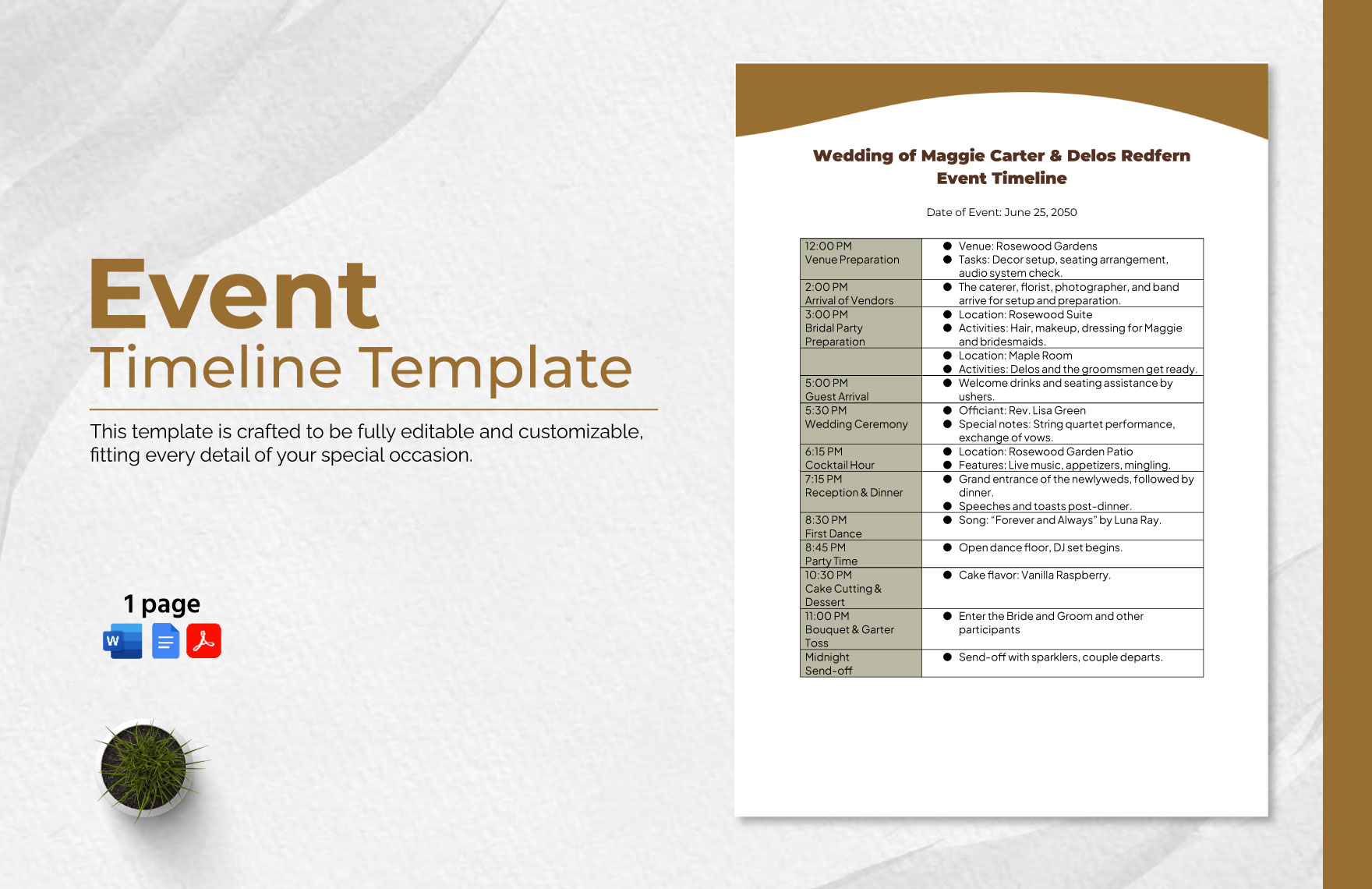
The Modern Wedding Timeline Free Google Docs Template typically includes several important sections:
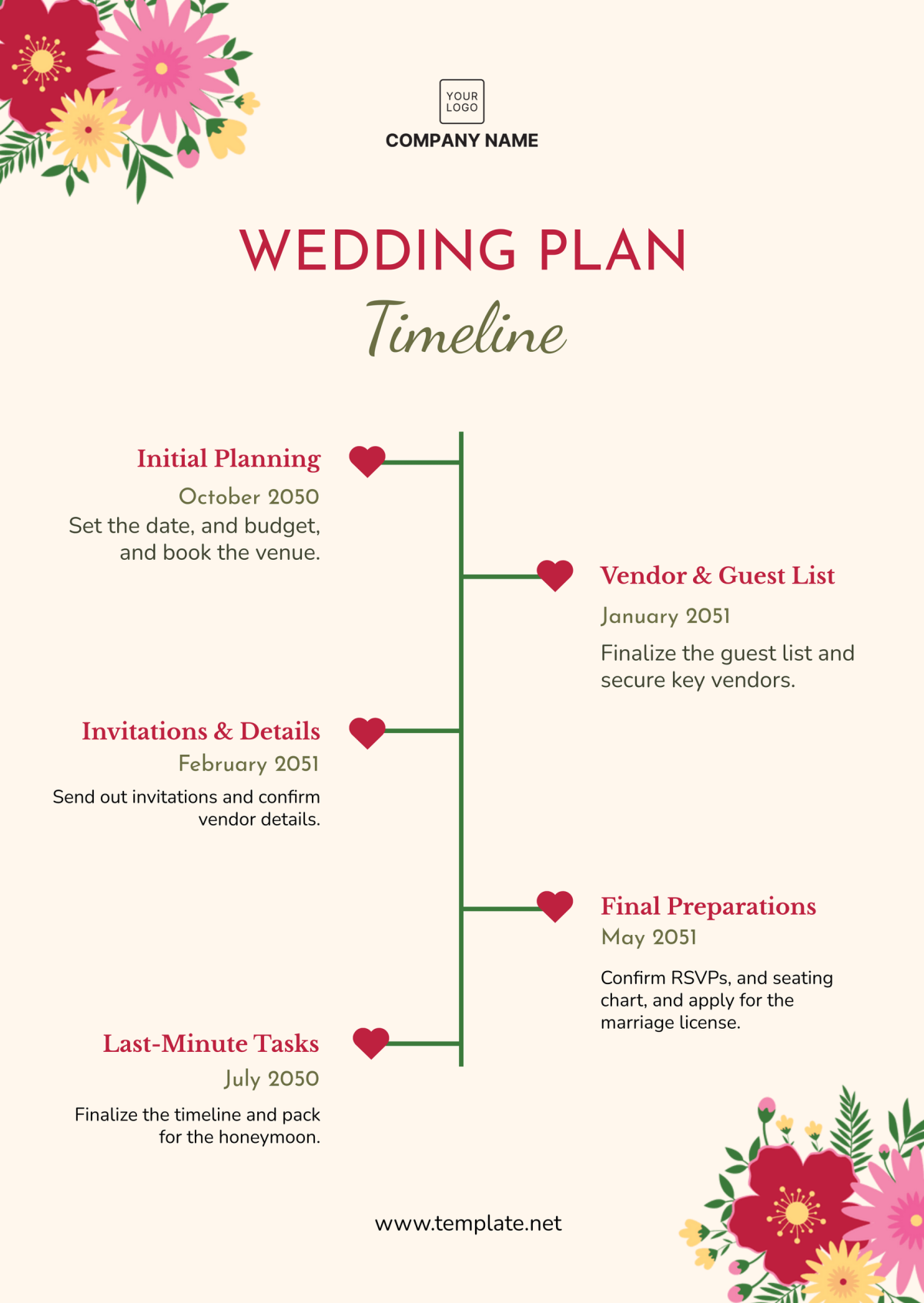
- Pre-Wedding Events: Outlines tasks like sending invitations, booking vendors, and organizing dress fittings.
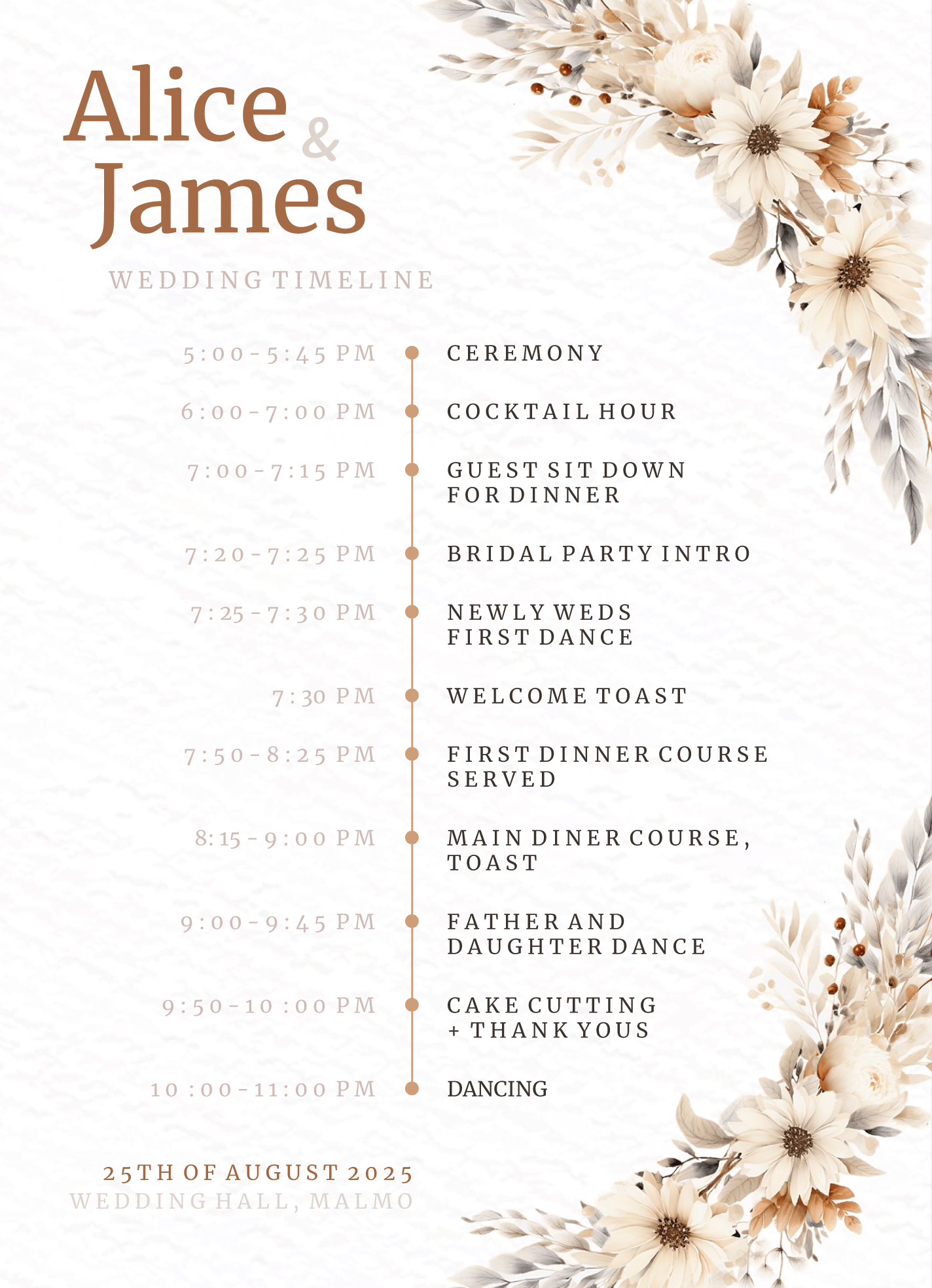
- Ceremony Schedule: Details the timing for the ceremony, including the arrival of the bridal party and guests.
- Reception Timeline: Lists activities such as the first dance, speeches, and cake cutting.
Each section is designed to be editable, allowing you to adapt it to your specific needs. You can add or remove items as necessary, ensuring that nothing important slips through the cracks.
Customizing Your Template
One of the greatest advantages of using a Google Docs template is the ease with which you can customize it. Here are some practical ways to tailor the Modern Wedding Timeline to suit your wedding plans:
- Add Personal Touches: Include your names, wedding date, and venue details right at the top. This makes it easy to share with family and friends.
- Adjust Timeframes: Depending on your wedding theme and size, you might want to extend or shorten certain segments. For example, if you’re having a large reception, plan for longer dinner service and dancing time.
- Include Vendor Information: Create sections for vendor contact details, payment deadlines, and contracts, so everything is in one place.
By customizing the template, you ensure it reflects your unique wedding vision and keeps you organized.
Practical Decisions for Downloading and Printing
When it comes to downloading and printing your template, consider the following:
- File Format: The template is in Google Docs format, which means you’ll need a Google account to access it. You can also download it as a PDF if you prefer a fixed format for printing.
- Paper Size: Standard letter size (8.5 x 11 inches) works well for most printers. If you’re planning to bind your timeline in a planner, consider using A5 size (5.8 x 8.3 inches) for a more compact version.
- Print Settings: For vibrant colors, use high-quality settings on your printer. If you plan to laminate the sheet for durability, consider using a heavier weight paper.
By making these decisions ahead of time, you can ensure that your wedding timeline is not only functional but also visually appealing.
Integrating the Timeline Into Your Wedding Planning Routine
Using the Modern Wedding Timeline Free Google Docs Template effectively requires integrating it into your broader planning routine. Here are some tips on how to do this:
- Set Regular Check-Ins: Schedule weekly or bi-weekly check-ins with your partner to review and update the timeline. This keeps both of you on the same page and allows for adjustments as needed.
- Share with Your Wedding Party: Sharing the timeline with your bridal party can help everyone understand their roles and responsibilities, reducing confusion on the big day.
- Use it as a Checklist: Turn parts of the timeline into a checklist, marking off tasks as you complete them. This visual progress can be motivating!
By embedding the timeline into your regular planning practices, it becomes a living document that grows with your wedding preparations.
Final Touches and Considerations
As you finalize your wedding timeline, keep a few key considerations in mind:
- Flexibility: Weddings often don’t go exactly as planned. Build in some buffer time for unexpected delays, especially between major events like the ceremony and reception.
- Communicate with Vendors: Share your finalized timeline with all your vendors to ensure they are aligned with your schedule. This can help prevent any last-minute surprises.
- Backup Copies: Save multiple copies of your timeline in different formats (e.g., Google Docs, PDF) and share them with trusted family members or coordinators. This ensures everyone has access to the latest version.
With the Modern Wedding Timeline Free Google Docs Template, you’re setting yourself up for success as you plan your special day. Whether you choose to print it out and keep it in a binder or use it digitally, this tool provides a solid foundation for organizing your wedding preparations.
Modern Wedding Timeline Free Google Docs Template Gallery