Planning an event can be a delightful yet daunting task, especially when it comes to budgeting. The Event Budget Free Google Sheets Template stands out among other resources because it offers a user-friendly layout that makes tracking expenses straightforward and efficient. Unlike traditional spreadsheets that can feel overwhelming, this template is designed specifically for event budgeting, allowing you to focus on the fun aspects of planning while keeping your finances organized.
Understanding the Event Budget Google Sheets Template Layout
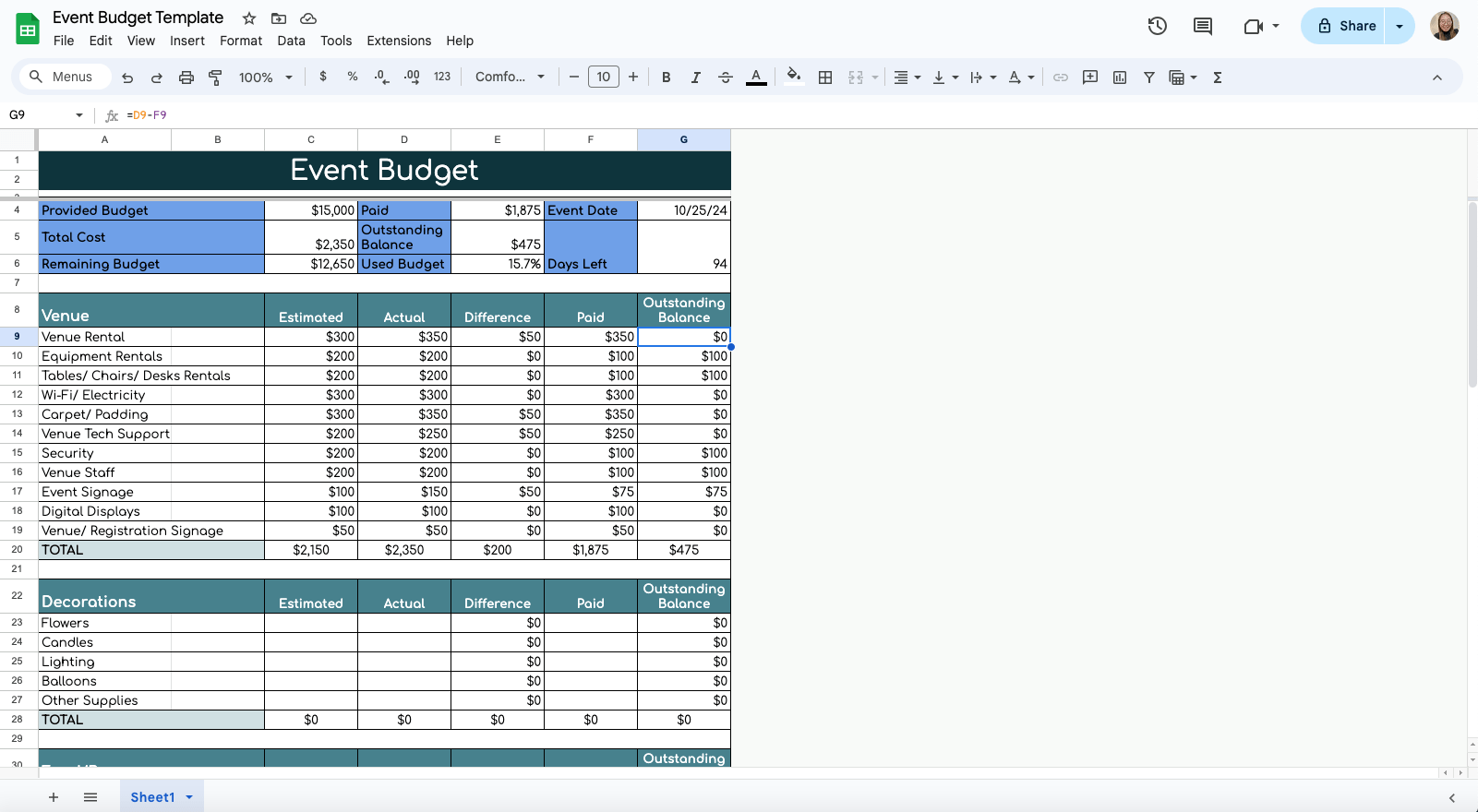
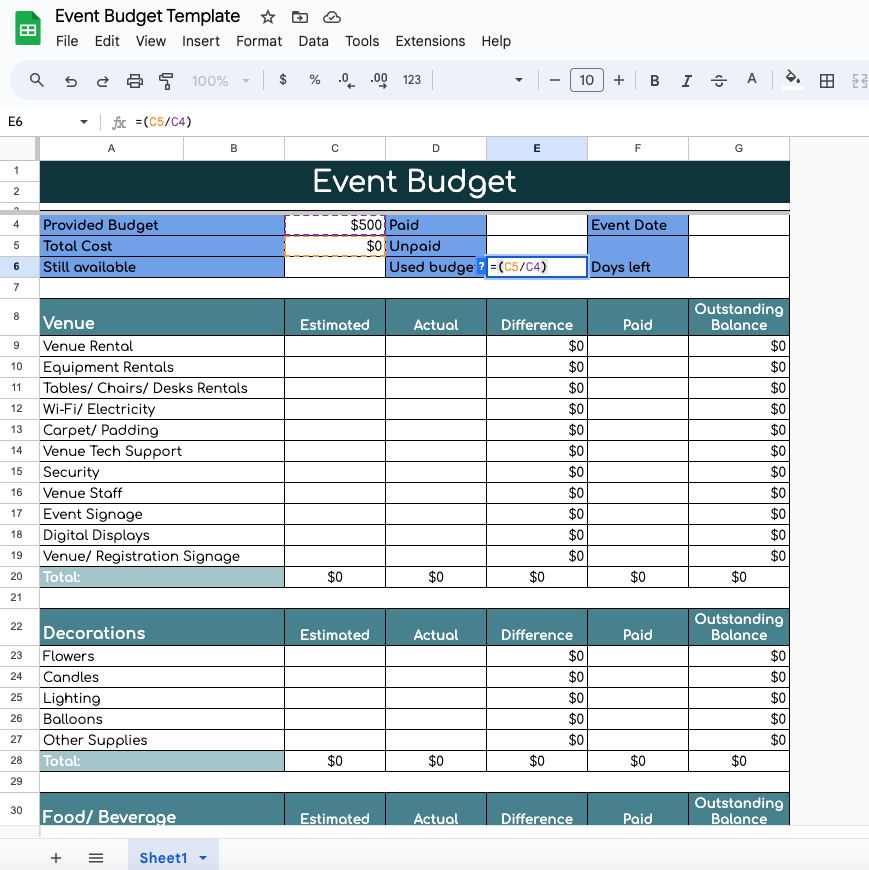
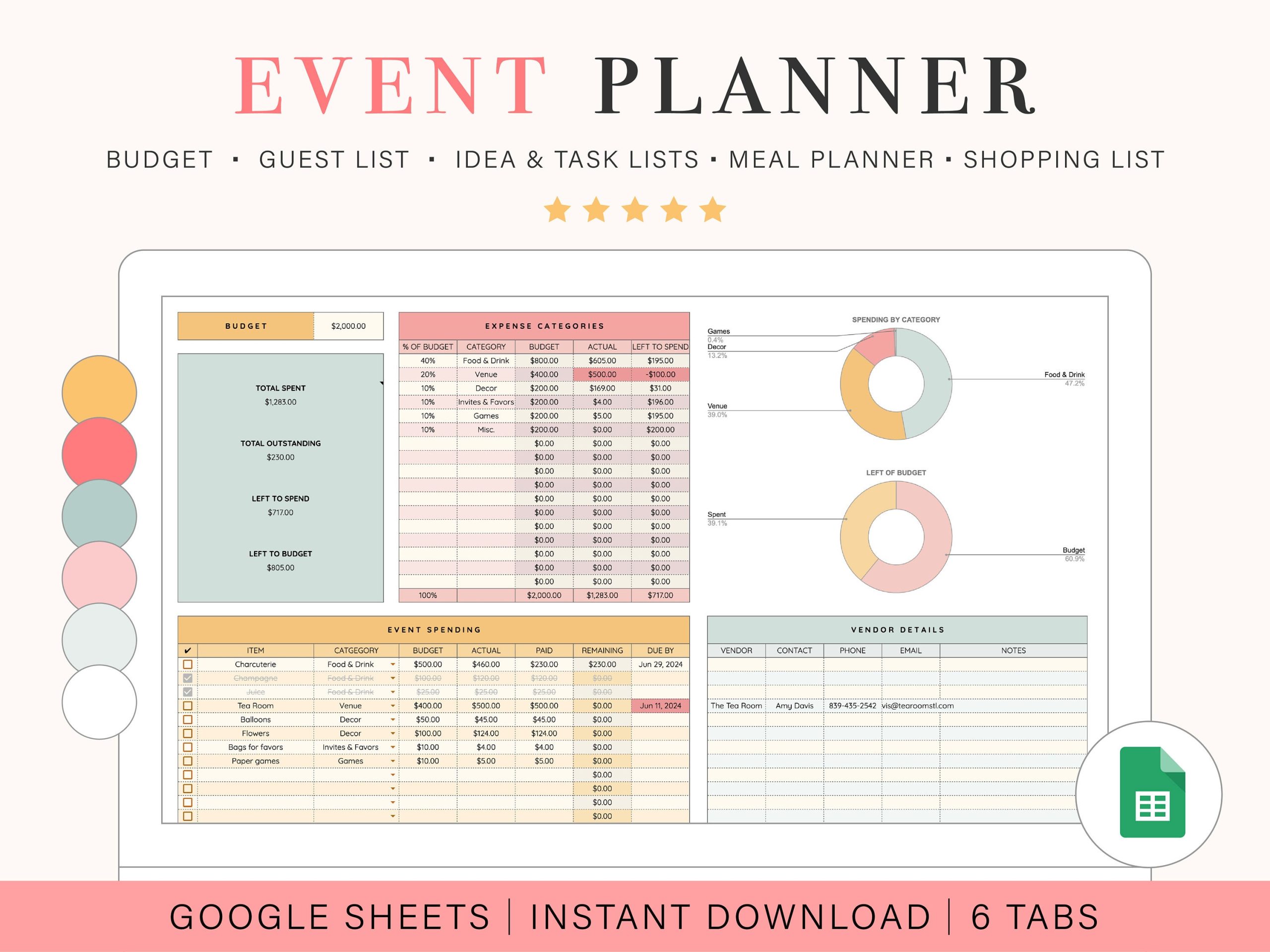
When you first open the Event Budget Free Google Sheets Template, you’ll notice its clean and clear layout. The template is divided into various sections that help you categorize your expenses. You’ll find headers for different budget categories like Venue, Catering, Entertainment, and Decorations, along with columns for estimated costs, actual costs, and notes. This structured design enables you to quickly identify where your money is going.
The template typically includes a summary section at the top, displaying your total budget, total expenses, and remaining balance. This feature is a useful option for keeping your financial goals in sight while you plan.
How to Fill Out the Template
Filling out the Event Budget Free Google Sheets Template is a breeze. You can choose to complete it digitally or print it out for a more hands-on approach. Here’s how you can make the most of it:
- Digital Completion: If you’re tech-savvy and prefer to work on your computer, using Google Sheets allows for easy calculations. The template is designed with formulas that automatically compute totals as you enter your expenses. This means you can adjust your budget in real-time, which is particularly helpful when you’re making quick decisions.
- Printing Options: For those who enjoy writing things down, printing the template is a great option. It’s best to use a high-quality printer and standard paper size (8.5×11) to ensure all sections are legible. Using a pen, you can jot down expenses and notes as they arise during the planning process. This tactile approach can sometimes help you think more clearly about your budget.
Key Sections to Track in Your Budget
The template contains several key sections that are crucial for effective budgeting. Each category is designed to capture specific types of expenses related to your event:
- Venue Costs: This section includes rental fees, deposits, and any additional charges for services like security or cleaning.
- Catering: Track the costs of food and beverages, including catering service fees, and don’t forget to account for any special dietary needs.
- Entertainment: If you’re hiring a DJ, a band, or any performers, this section helps you keep tabs on those expenses.
- Decorations: This is where you can itemize costs for flowers, table settings, and other decor elements that contribute to the event’s atmosphere.
Each category allows you to enter estimated costs and actual expenses side by side, making it easy to see where you’re under or over budget.
Tips for Effective Budget Management
To maximize the usefulness of the Event Budget Free Google Sheets Template, consider these practical tips:
- Regular Updates: Make it a habit to update your budget regularly. As you receive quotes or make purchases, input those figures immediately to keep your budget accurate.
- Contingency Fund: Always include a buffer for unexpected expenses. A good rule of thumb is to allocate around 10% of your total budget for this purpose.
- Use Color Coding: If you’re filling out the template digitally, use color coding to highlight areas that are over budget or need attention. This visual cue can help you quickly identify problem areas.
When to Use Digital Versus Printed Formats
Choosing between the digital and printed versions of the Event Budget Free Google Sheets Template often comes down to personal preference and workflow. If you’re someone who likes instant feedback and calculations, the digital version is your best bet. It allows for quick adjustments and the convenience of accessing your budget from anywhere.
On the other hand, if you find that writing things down helps you remember them better, the printed version is ideal. You can easily carry it with you and make notes during meetings or phone calls.
So, whether you opt for the digital or printed format, this template is designed to meet your budgeting needs effectively. You can ensure that your event planning stays both enjoyable and financially sound.
By using the Event Budget Free Google Sheets Template, you’ll find that managing your event expenses becomes less of a chore and more of an empowering process. Plus, with everything organized in one place, you can focus on creating memorable experiences for your guests.
Event Budget Free Google Sheets Template Gallery