A well-organized life often starts with a solid planning tool, and the Day Planner Free Google Docs Template is a fantastic resource for parents looking to streamline their daily tasks. Available in a user-friendly format, this template is ready for immediate download and can be tailored to fit your family’s unique needs. With its clean layout and easy-to-use sections, you can quickly track appointments, activities, and essential tasks.
Understanding the Layout of the Day Planner
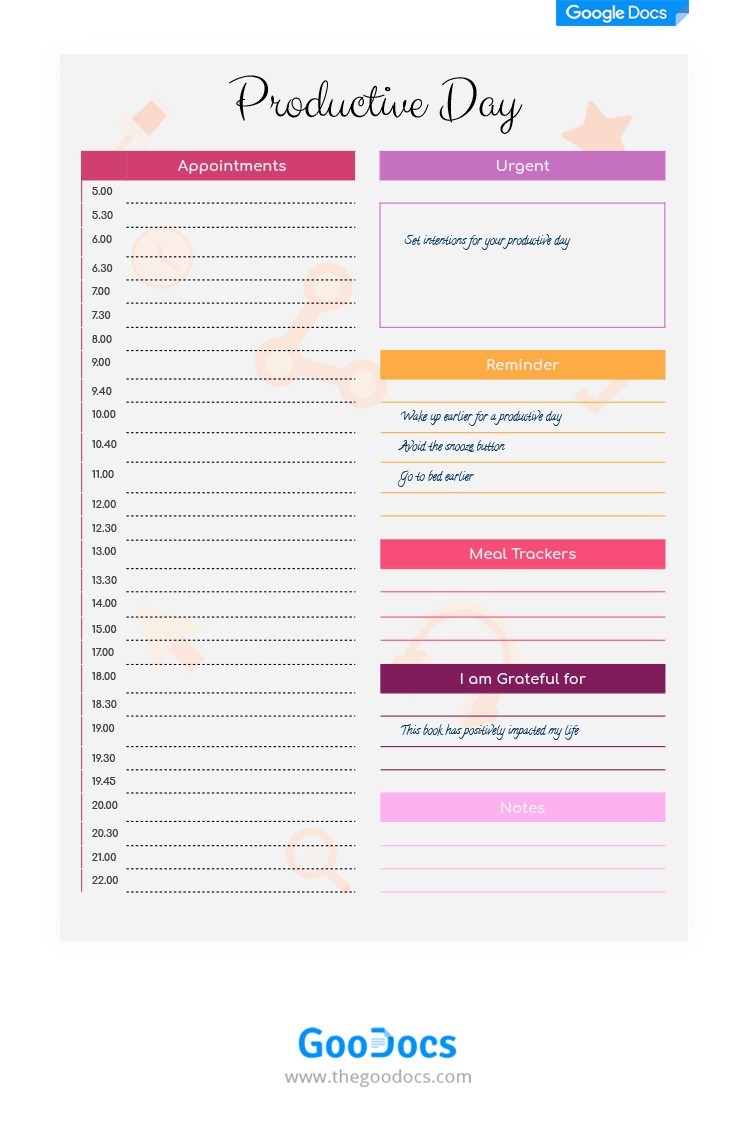
This planner features a straightforward layout that’s perfect for busy parents. It typically comes in a standard letter size of 8.5 x 11 inches, making it easy to print on regular paper or cardstock. The template is designed with clear sections to help you break down your day effectively.
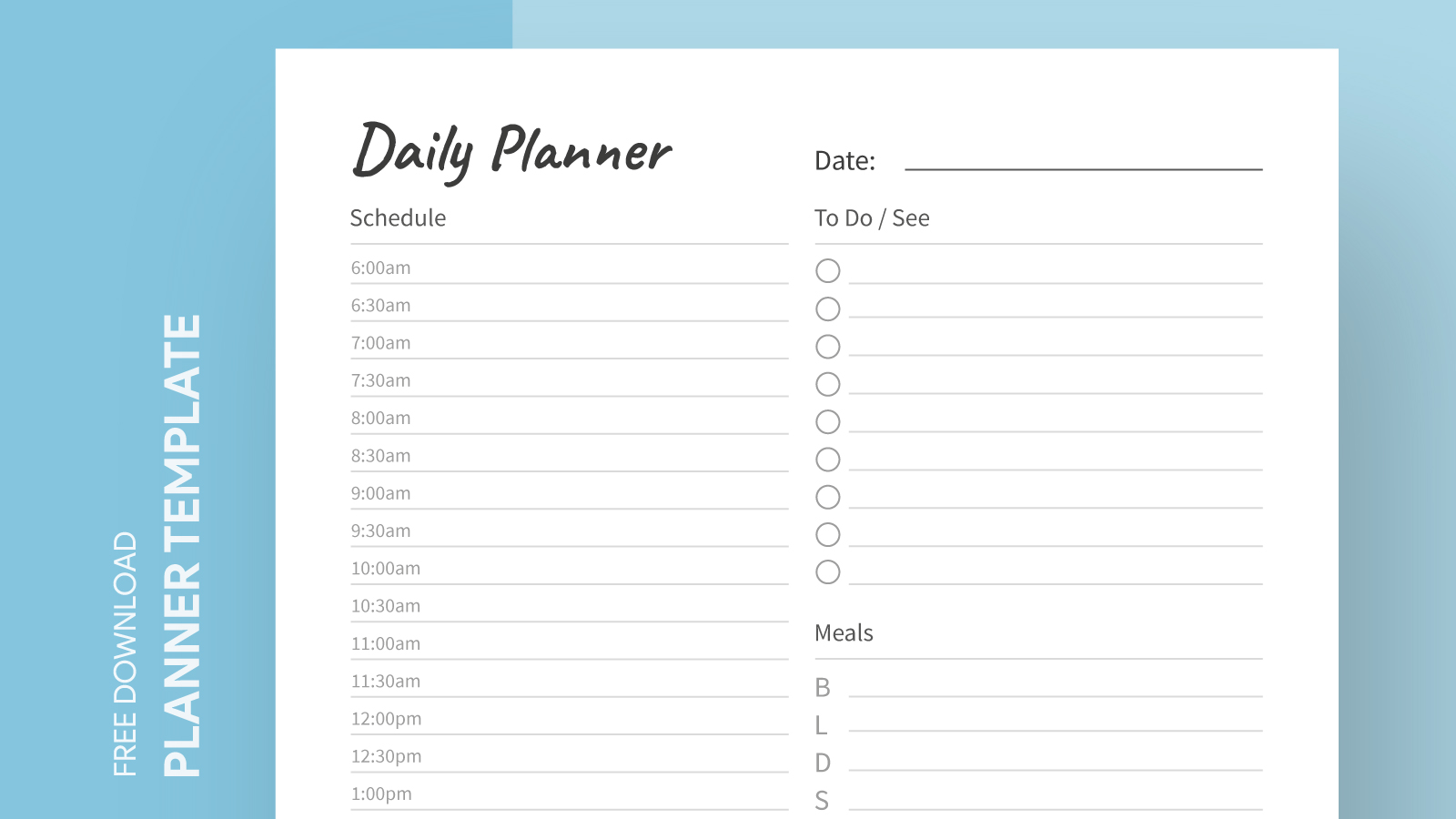
At the top, you’ll find a space for the date, which can be filled in manually or adjusted in Google Docs. Below that, the planner is divided into sections for morning, afternoon, and evening tasks. This division helps you visualize your day and prioritize accordingly. Importantly, the layout encourages you to list appointments, tasks, and even notes, ensuring that nothing slips through the cracks.
Key Sections to Maximize Your Planning
The Day Planner Free Google Docs Template includes essential sections that cater specifically to the needs of parents:
- Daily Goals: Set one to three goals for the day to maintain focus.
- To-Do List: A dedicated area where you can jot down tasks that need to be accomplished. This section can be further divided into urgent and non-urgent tasks, which can help in managing time effectively.
- Appointments: A space to list any scheduled activities, ensuring that you stay on track with your family’s commitments.
- Meal Planning: Some versions of the template even feature a meal planning section, making it easier to organize meals for busy days.
These sections are designed to support follow-through and accountability, making it easier to keep track of what needs to be done.
Benefits of Using a Printable Planner Over Digital Options
While digital planners have their advantages, there are several benefits to using a printed Day Planner. For one, having a physical planner on your desk can serve as a constant visual reminder of your tasks, helping you to stay focused without the distractions that often come with digital devices.
Additionally, writing down tasks can enhance memory retention. Studies have shown that the act of writing can help you remember your goals better than typing them into an app. Plus, with a printed planner, you can easily add stickers or color code sections, adding a fun element to your planning process.
Using a printed planner also allows you to personalize it more freely. You can use colored pens, add washi tape, or even laminate the pages for durability. This tactile engagement can make planning feel more rewarding and less like a chore.
Customizing Your Day Planner Template
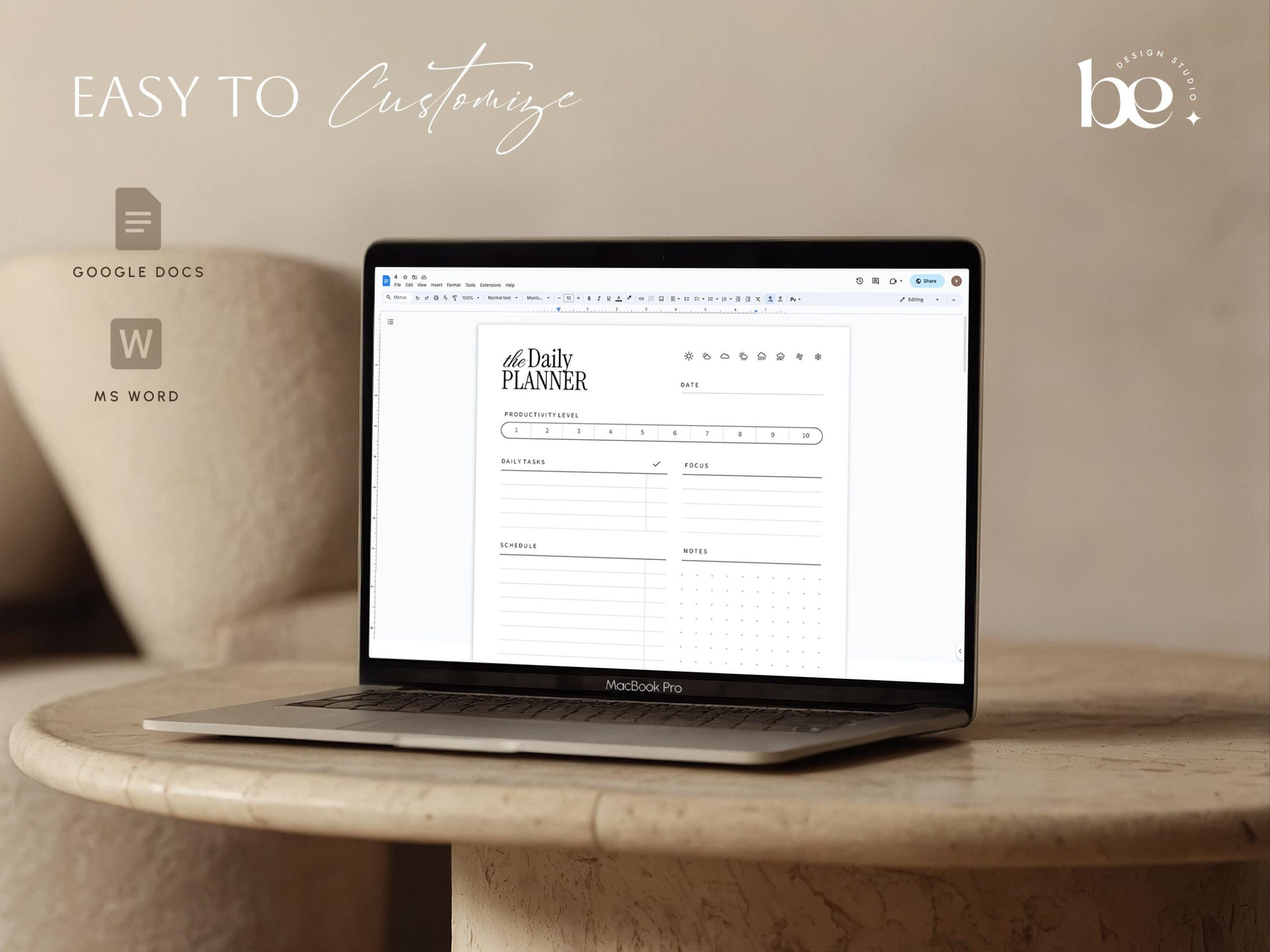
One of the best features of the Day Planner Free Google Docs Template is its flexibility. You can modify it to suit your family’s unique needs. If you find that certain sections don’t serve you well, feel free to delete them or create new sections that fit your lifestyle better.
For example, if you have children involved in various activities, you might want to add a dedicated section for tracking their schedules. Alternatively, you could incorporate a weekly overview at the start of each week to help you see the bigger picture of your commitments.
When customizing, consider using different fonts or colors for various sections to make the planner visually appealing. This can make planning more enjoyable and help you stay motivated.
Printing and Using Your Planner Effectively
When it comes to printing your Day Planner Free Google Docs Template, here are a few tips to get the best results:
- Paper Type: For durability, consider printing on cardstock. It holds up better over time, especially if you plan to write on it frequently.
- Printer Settings: Make sure to select the correct paper size (8.5 x 11) in your printer settings. You might also want to choose high-quality print settings to ensure that the lines and text are crisp.
- Binding Options: If you’re printing multiple pages, consider binding them together or using a clip to keep everything organized. This way, you can flip through pages easily.
Additionally, keep your planner in a visible location, such as on your desk or kitchen counter, so you’ll be reminded to check it regularly.
With the Day Planner Free Google Docs Template, you have a powerful tool at your fingertips to help manage your family’s busy schedule. If you are tracking school events, planning meals, or organizing appointments, this printable resource can make a significant difference in your daily routine. So download your template today and take the first step toward a more organized life.
Day Planner Free Google Docs Template Gallery