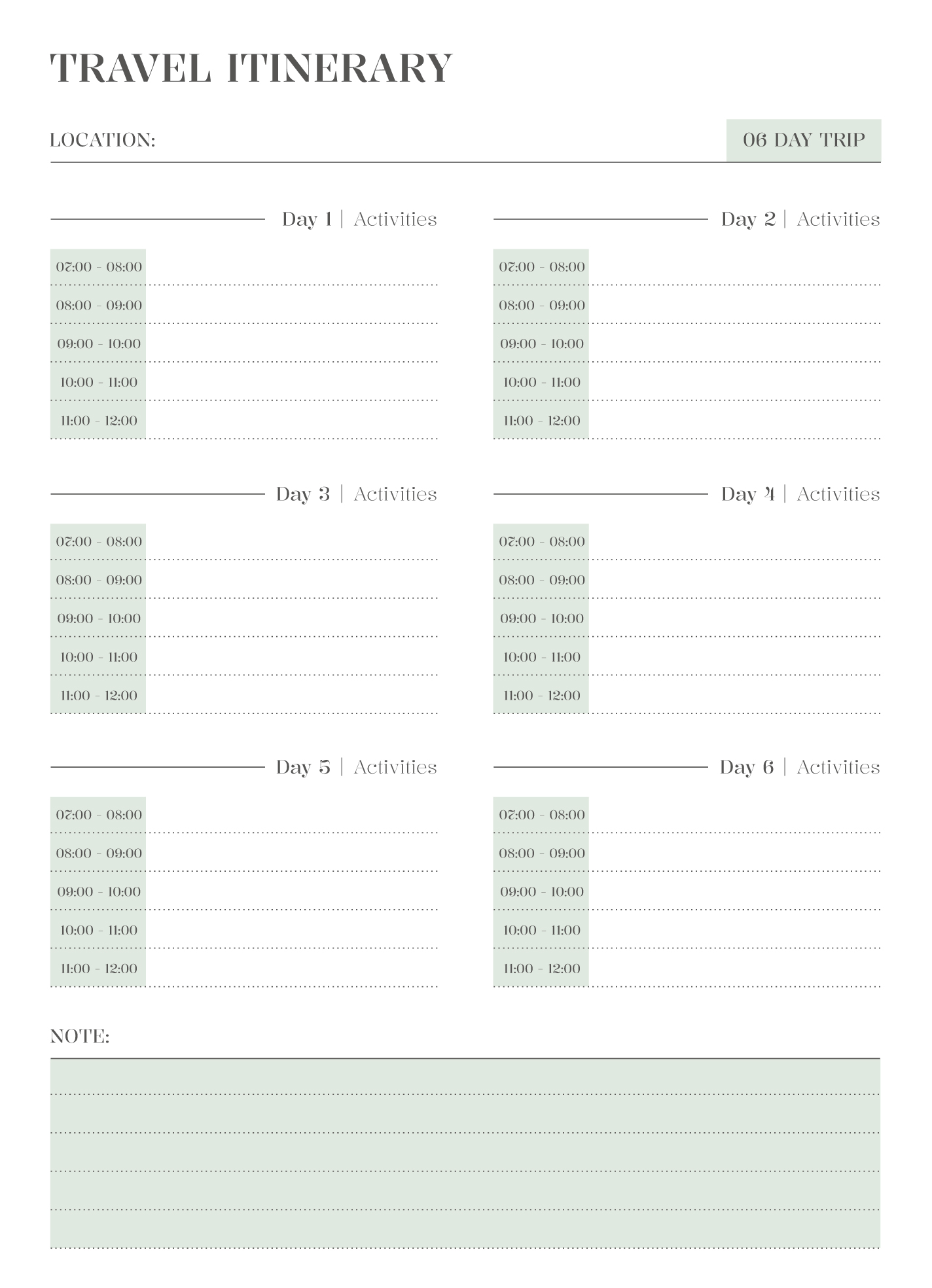
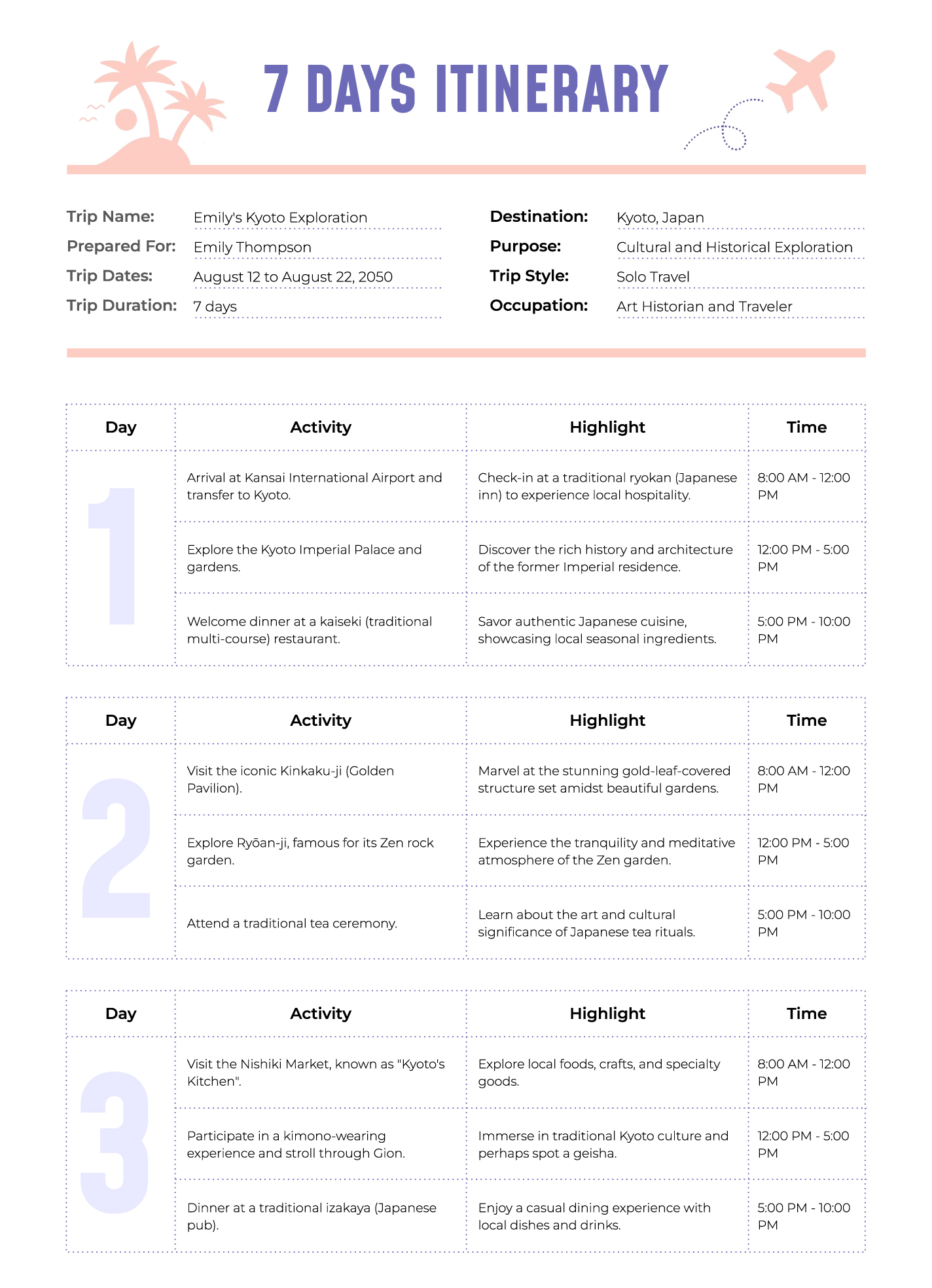
Planning a getaway can feel overwhelming, but having a well-structured itinerary can make all the difference. The Bright Travel Itinerary Free Google Docs Template is a fantastic tool to help you organize your trips effortlessly. This customizable template allows you to keep track of all your travel details, from flights and accommodations to daily activities and meal plans.
What’s Included in the Bright Travel Itinerary Free Google Docs Template?
This free Google Docs template is designed to be user-friendly and comprehensive. Here’s what you can expect to find:
- Travel Dates: Specify departure and return dates.
- Destination Details: List the cities or countries you’ll be visiting.
- Accommodation Information: Space to jot down hotel names, addresses, and contact numbers.
- Flight Information: Keep all your flight details in one place, including flight numbers and times.
- Daily Itinerary Sections: A dedicated area for planning each day’s activities, including time slots for events.
- Meal Planning: You can plan out meals or restaurant reservations for each day.
- Notes Section: Perfect for jotting down reminders or extra details you might need.
This template is designed to be printed in a standard letter size (8.5” x 11”), making it easy to fold and tuck into your travel journal or planner.
Customizing Your Travel Itinerary
One of the best features of the Bright Travel Itinerary Free Google Docs Template is its customizable nature. You can easily modify it to suit your specific travel needs. Here’s how you can personalize yours:
- Change Colors and Fonts: Make it visually appealing by adjusting the colors or fonts to match your travel vibe.
- Add Sections: If you have specific activities like hiking, excursions, or special events, feel free to add additional sections.
- Include Maps or Links: You can insert hyperlinks to maps or other resources directly into the document for easy access while on the go.
This level of customization ensures that your itinerary not only meets your needs but also reflects your personality, making the planning process a bit more fun!
Downloading and Printing the Template
Downloading the Bright Travel Itinerary Free Google Docs Template is straightforward. Here are the simple steps to get you started:
- Access Google Docs: Make sure you’re logged into your Google account.
- Find the Template: Look for the template in the provided link, and open it.
- Make a Copy: Go to File > Make a Copy to save it to your own Google Drive. This allows you to edit it freely.
- Print Settings: When printing, select “Portrait” layout for the best results. Adjust your printer settings to ensure that the margins are set correctly so that all content fits on the page.
For paper choices, standard printer paper works well, but if you want a sturdier feel, consider using a heavier cardstock. This is especially helpful if you plan to use your itinerary multiple times or want to laminate it for durability.
Practical Tips for Using Your Itinerary
Now that you have your Bright Travel Itinerary set up, here are some practical tips to get the most out of it:
- Stay Flexible: While it’s great to have a plan, don’t forget to leave some room for spontaneity. If you stumble upon a fantastic café or a local festival, allow yourself the freedom to adjust your plans!
- Involve the Family: If you’re traveling with kids, get them involved in the planning process. Allow them to choose a few activities to include in the itinerary. This can make the trip more exciting for everyone.
- Review Before You Leave: A few days before your trip, sit down and review your itinerary. Check for any last-minute changes in travel times or bookings.
By following these tips, you’ll ensure that your travel experience is as smooth and enjoyable as possible.
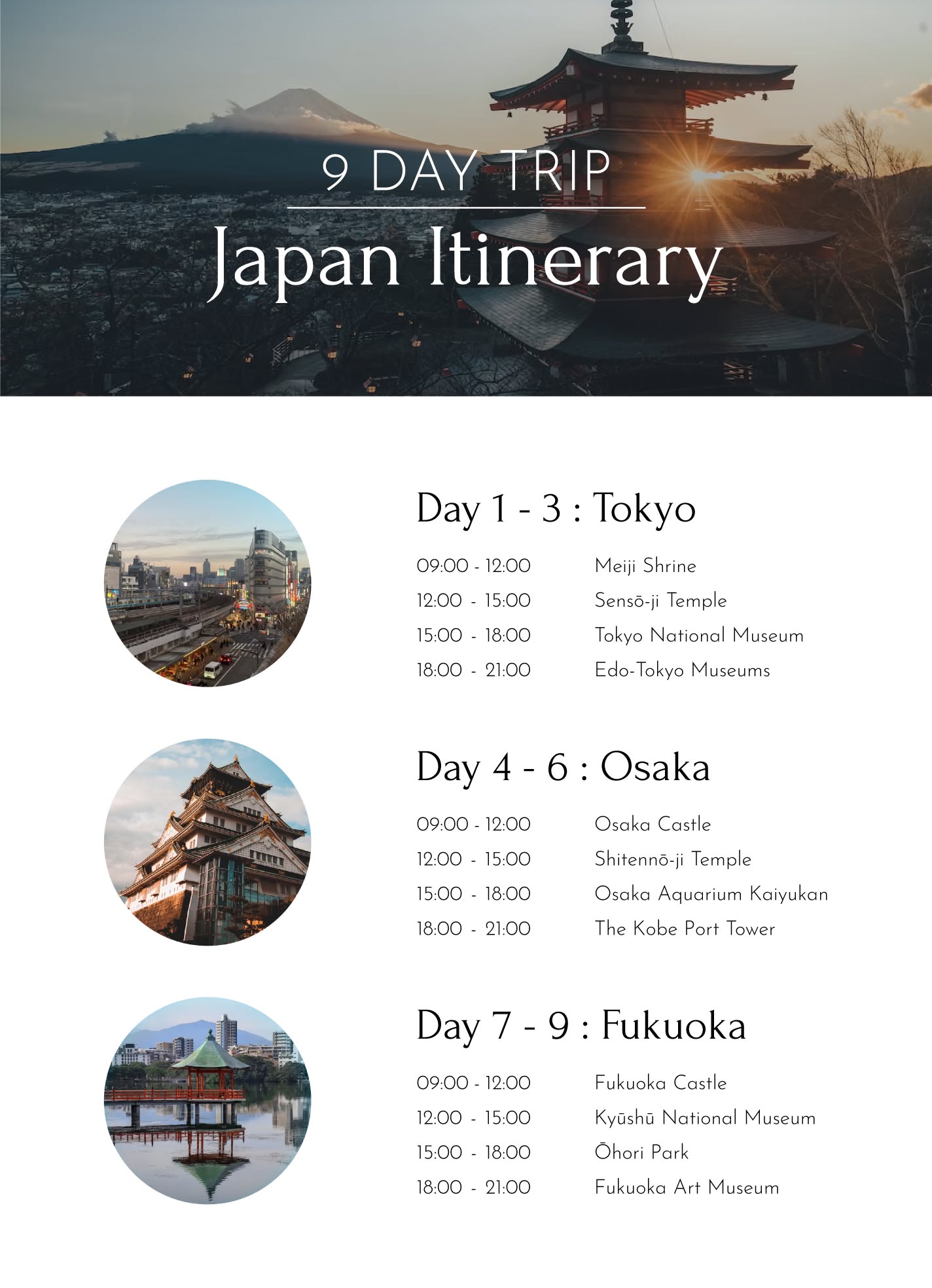
Next Steps: Make Your Travel Plans a Reality
Now that you’re equipped with the Bright Travel Itinerary Free Google Docs Template, it’s time to look at planning your next adventure. Gather all your travel information, customize your itinerary, and get excited about your upcoming journey. Don’t forget to print it out and keep it handy during your travels. Happy planning!
Bright Travel Itinerary Free Google Docs Template Gallery