When you’re applying for an architect position, your resume needs to stand out in a competitive field. The Architect Resume Free Google Docs Template is designed specifically for professionals like you, making it easier to present your qualifications clearly and stylishly. This template offers an elegant layout and customizable sections that can highlight your skills, projects, and educational background, ensuring you make a strong impression on potential employers.
Understanding the Layout of the Architect Resume Template
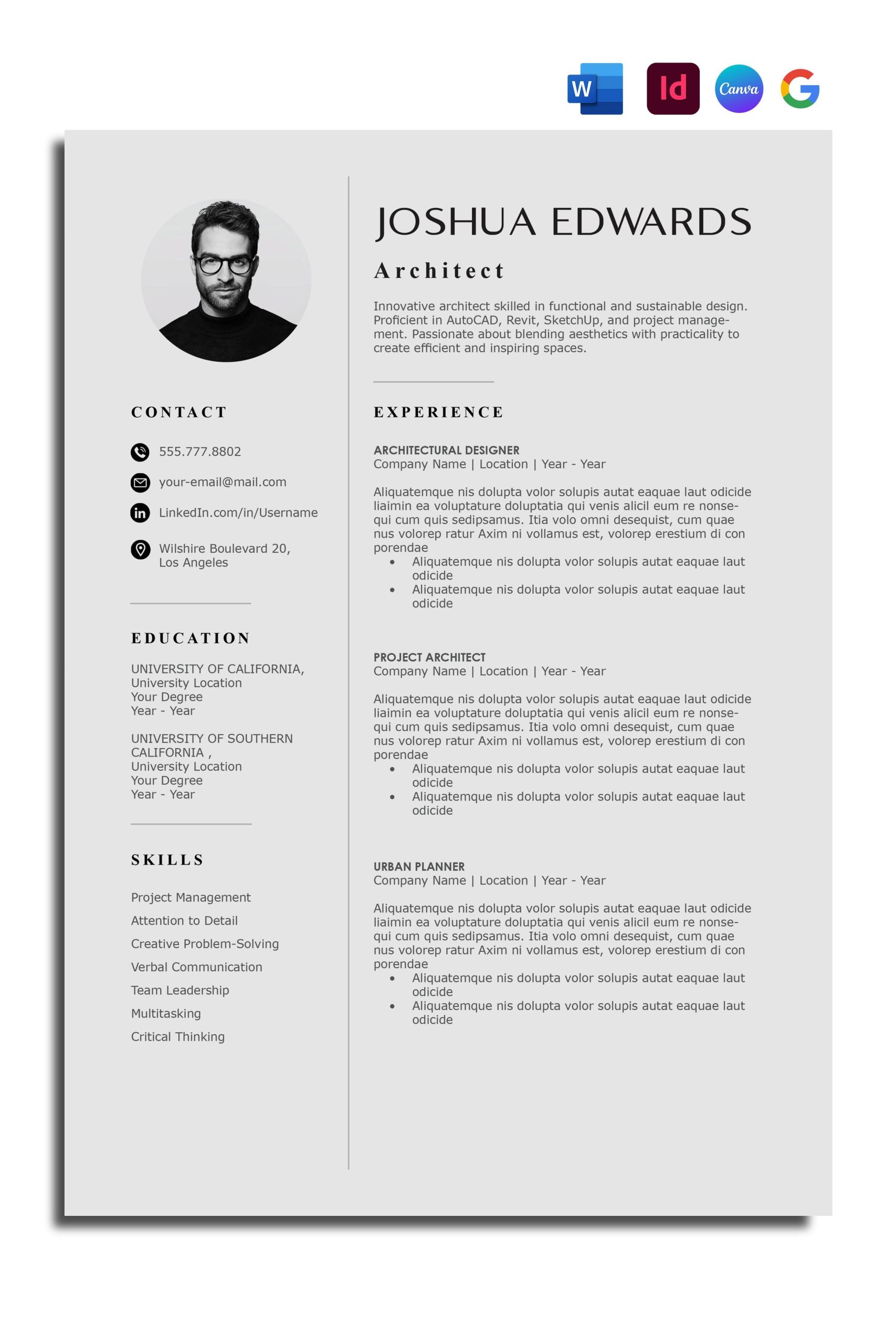
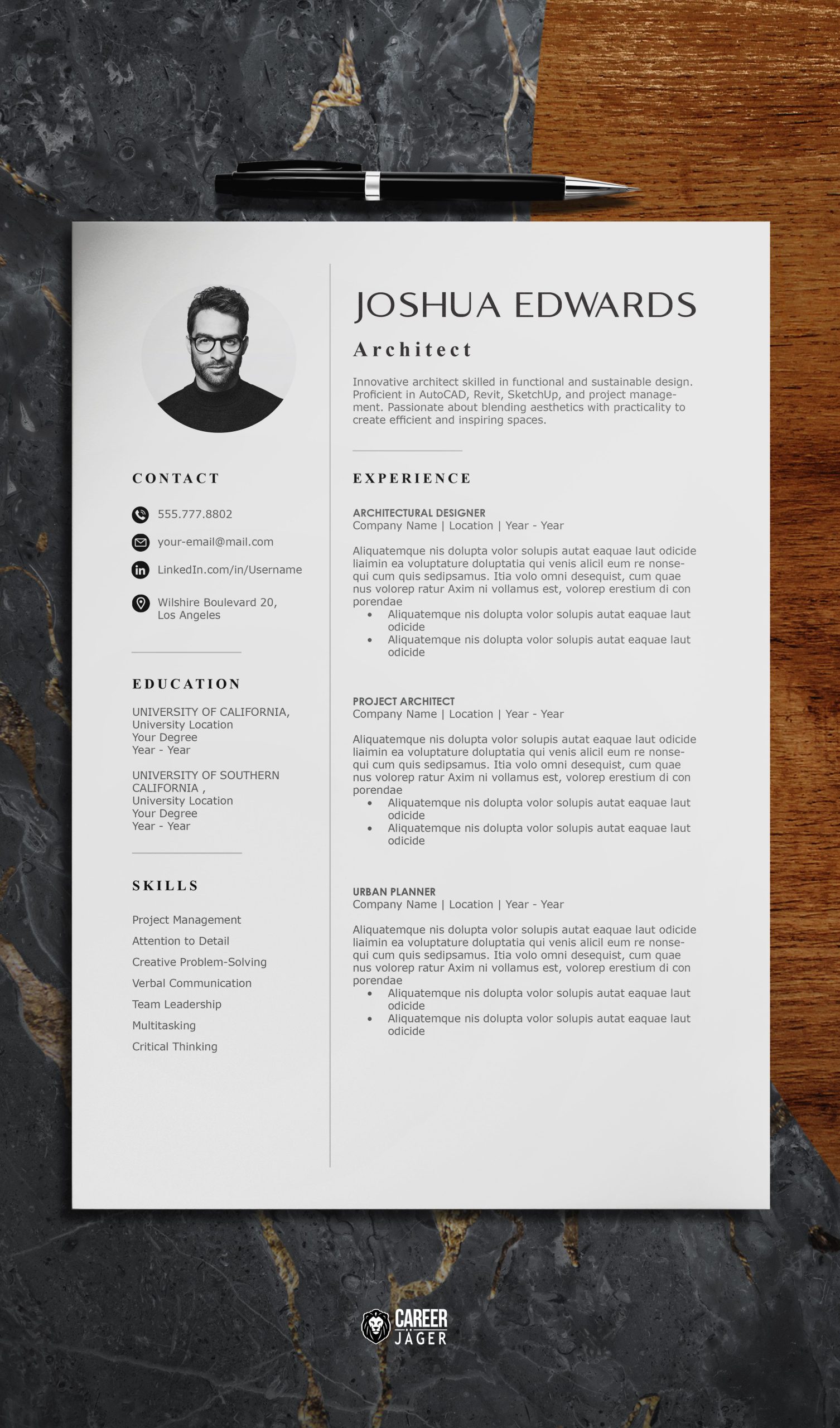
One of the first things you’ll notice about the Architect Resume Free Google Docs Template is its clean and modern design. The layout is structured to guide the reader’s eye through key sections without overwhelming them. Typically, this template includes the following parts:
- Header: Your name, title (like ‘Architect’), and contact information are prominently displayed, making it easy for hiring managers to reach you.
- Professional Summary: A brief section that summarizes your experience and skills. It gives a snapshot of what you bring to the table, so you want to keep it concise yet impactful.
- Experience: This section is crucial. You can list your relevant work experience in reverse chronological order, making it clear which roles are your most recent.
- Education: Here, you can include your degrees, certifications, and any relevant coursework.
- Skills: This section highlights your technical and soft skills, ensuring employers can quickly identify what you excel at.
And while the template gives you a solid structure, it’s designed to be flexible. You can add or remove sections based on your individual experience. For example, if you have extensive project management experience, you might want to include a dedicated section for it.
Customizing Your Resume for Maximum Impact
Customization is where the real magic happens with the Architect Resume Free Google Docs Template. You can easily modify the text and colors to reflect your personal brand. Here are a few tips for effective customization:
- Tailor Your Professional Summary: Use this space to reflect the job description of the position you’re applying for. Incorporate keywords that are relevant to the role to pass through Applicant Tracking Systems (ATS).
- Quantify Your Experience: When describing your previous roles, include numbers where possible. For example, “Managed a team of 5 architects” or “Completed projects on time and under budget by 15%.”
- Highlight Relevant Projects: If you’ve worked on notable projects, create a section to showcase them. Include brief descriptions, your role, and any awards or recognitions received.
- Choose a Color Scheme: The template allows for color adjustments. Choose colors that are professional but also reflect your style. Subtle tones often work best in the architecture field.
By personalizing the template, you not only improve your chances of catching an employer’s attention but also create a document that feels uniquely yours.
Downloading and Printing Your Template
Once you’ve customized your Architect Resume Free Google Docs Template, it’s time to download and print it. Google Docs makes this process straightforward. You can download your resume in various formats, including PDF, which is often preferred by employers. Here are the steps to follow:
- Download: Click on “File” in the top left corner, then select “Download” and choose “PDF Document (.pdf)”. This format ensures that your layout and design stay intact when viewed by others.
- Print Settings: If you choose to print your resume directly from Google Docs, make sure your printer settings are adjusted for quality. Selecting a higher DPI (dots per inch) will ensure your resume looks sharp and professional.
- Paper Choice: Using a heavier paper, like 24lb or cardstock, can make a positive impression. These papers are less likely to wrinkle and can give your resume a more premium feel.
Remember, the goal is to create a document that represents your professional brand effectively, so take the time to ensure it looks great in print as well as on screen.
Best Practices for Sending Your Resume
When it comes to submitting your resume, there are a few best practices to keep in mind. Many employers prefer digital submissions, but you may also need physical copies for interviews. Here’s how to approach each method:
- Email Submission: If you’re sending your resume via email, ensure that you name the file professionally (e.g., “John_Doe_Architect_Resume.pdf”). In your email body, keep it brief but friendly, mentioning the position you’re applying for and expressing your enthusiasm.
- Online Applications: For job portals, follow the upload instructions carefully. Make sure your file format is compatible, and always preview how the resume appears to ensure it maintains its intended layout.
- In-Person Interviews: Always bring multiple copies printed on high-quality paper. This not only shows preparedness but also allows you to easily share your resume with multiple interviewers.
Using the Architect Resume Free Google Docs Template effectively can help you present a polished, professional image that reflects your skills and experience. Take the time to customize it thoughtfully, and you’ll be well on your way to landing that dream job. Whether you choose to print it out or send it digitally, the right resume can open doors and create opportunities.
Architect Resume Free Google Docs Template Gallery